7 Mistakes You're Making with Employee Onboarding Software (and How to Fix Them)
![[HERO] 7 Mistakes You're Making with Employee Onboarding Software (and How to Fix Them)](https://cdn.marblism.com/5cSF20hlJ3E.webp)
If your restaurant or retail store feels like a revolving door, you aren’t alone. In the hospitality and retail sectors, turnover rates can soar as high as 70% to 150%. Every time a new hire walks out the door after two weeks, you’re losing more than just a body on the floor, you’re losing roughly $5,864 per employee in recruiting, training, and lost productivity costs. 💸
Most managers try to fix this by throwing "onboarding software" at the problem. But here’s the cold, hard truth: Most onboarding software was built for people who sit at desks.
Your team doesn't have desks. They have prep stations, cash registers, and stockrooms. If your training strategy involves making a new server sit in a back office for four hours staring at a clunky Windows 95-era interface, you’ve already lost them.
Let’s dive into the 7 biggest mistakes you’re making with your onboarding software and how to flip the script using a modern, mobile-first approach.
1. Waiting Until "Day One" to Start Training 🛑
The biggest mistake happens before the employee even clocks in. It’s called the Preboarding Gap. You hire someone on Monday, tell them to show up on Friday, and in those four days, they get a better offer from the bistro down the street.
The Old Way: Sending a massive PDF via email that they’ll never read, or worse, staying silent until their first shift. The New Way: Engage them the second they sign the offer. Use a platform that lets them "window shop" their new role. Send a quick 90-second welcome video and a mobile link to complete their basic profile.
By the time they walk in, they should already feel like part of the team. If they’ve already seen a "Day in the Life" clip on their phone, they’re 80% less likely to ghost you.
2. Choosing Desktop-First Software for a Mobile Workforce 📱
If your training software requires a mouse and a keyboard, it’s useless to a retail or hospitality manager. Your "office" is usually a cramped corner with a receipt printer and a stack of boxes.
The Mistake: Forcing new hires to share the one "manager’s computer" to complete modules. This creates a bottleneck, stops you from doing your actual job, and makes the new hire feel like a nuisance.
The Fix: Go Mobile-First. Your team lives on their phones. Why fight it? Training should happen on the devices they already own and love. When training is as easy to access as Instagram, it actually gets done. Kernel Pop is built specifically for this "on-the-go" reality.

3. The "Firehose" Effect (Information Overload) 🌊
We’ve all seen it: the 40-page printed SOP binder or the 2-hour "Orientation Video" from 2012. You’re asking a human brain to absorb 100 different menu items, POS codes, and closing procedures in one sitting. It’s impossible.
The Mistake: Thinking that "more content" equals "better training." The Fix: 90-Second Micro-learning. Research shows that the human attention span for digital learning drops off a cliff after two minutes. Break your training into tiny, digestible "kernels."
- How to clock in? 60 seconds.
- How to handle a steak complaint? 90 seconds.
- Opening the register? 45 seconds.
When lessons are bite-sized, your team can learn between customers, not just in a marathon session that leaves them cross-eyed.
4. Letting Your SOP Binders Collect Dust 📚
You have a manual. It’s probably in a three-ring binder behind the bar, covered in Caesar dressing stains. You know you need to digitize it, but who has the time to type all that into a new system?
The Mistake: Using software that requires manual data entry for every single procedure. This is why your training stays outdated, it’s too much work to update.
The Fix: Use an AI-Powered SOP Parser. Modern tools like Kernel Pop allow you to simply upload your old PDF or take a photo of your manual. The AI reads it, breaks it down, and automatically turns it into those 90-second micro-lessons we talked about. You go from "Old School Binder" to "High-Tech Training App" in about five minutes. ⚡️

5. Ignoring the "Frontline Reality" (No Context) 🏃♂️
A corporate trainer in a suit once wrote your training manual. But that person has never had three tables complaining about cold fries while the delivery driver is shouting about a missing order.
The Mistake: Software that provides generic, "corporate-speak" training that doesn't apply to the actual chaos of a Friday night shift.
The Fix: Contextual Learning. Your onboarding software should allow you to add "Quick Hits", small tips that matter now.
- Instead of: "Standard Operating Procedure for Sanitation."
- Try: "How to clean the espresso wand so it doesn't explode."
Speak their language. Use emojis. Keep it energetic. If the training feels like a chore, they’ll treat it like one. If it feels like a "cheat code" to help them make more tips or get home faster, they’ll crave it.
6. Managing by "Vibes" Instead of Data 📊
"Yeah, I think Kevin knows how to use the fryer. I saw him near it earlier." This is how accidents happen and how food costs skyrocket.
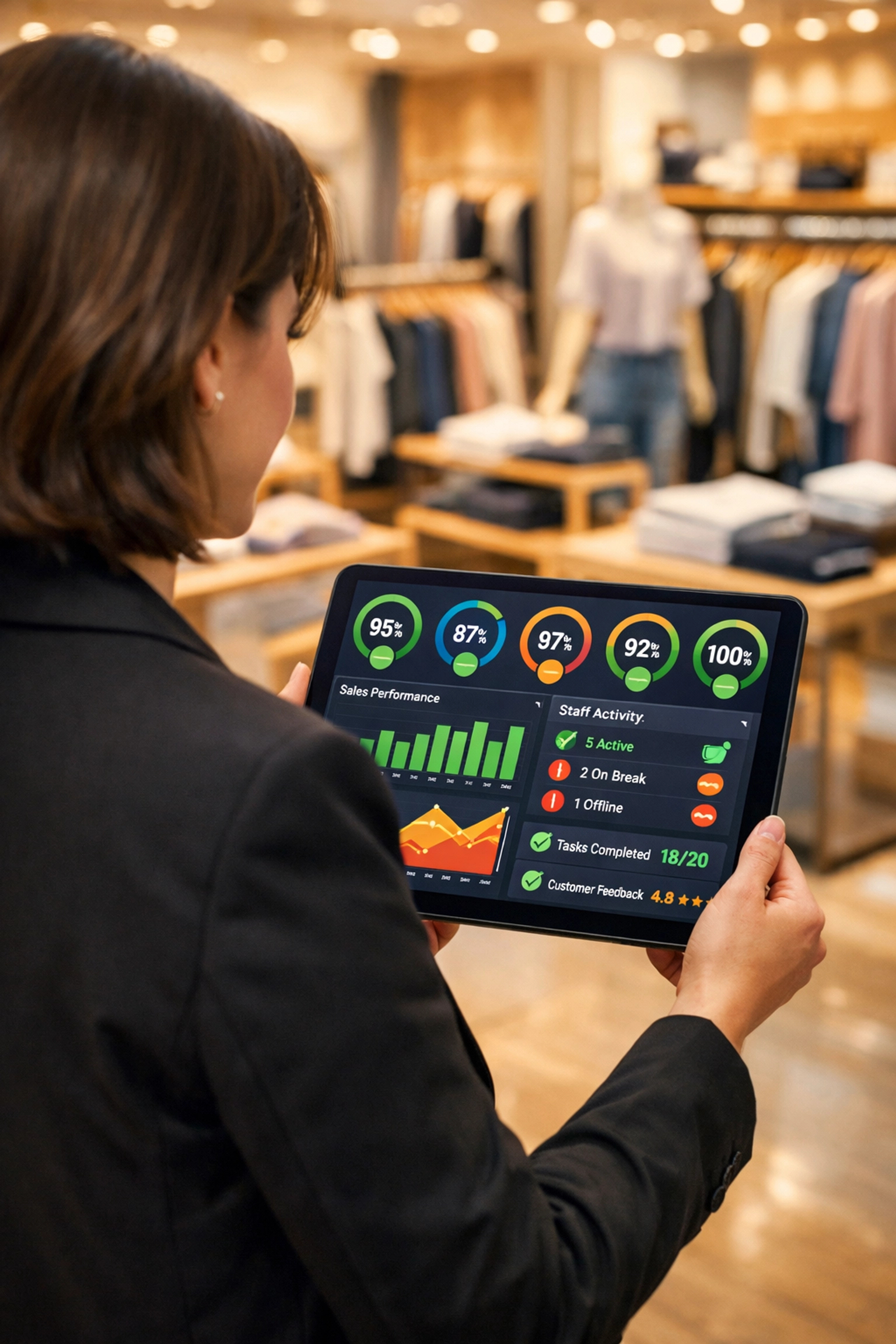
The Mistake: Not having a real-time dashboard to see who has actually completed their modules. The Fix: Real-time progress tracking. You should be able to glance at your phone and see that Sarah is 90% done with her "Opening Shift" certification, but Mark hasn't even opened the "Alcohol Safety" video.
This allows you to coach the people who need it, instead of nagging the whole team. It turns onboarding from a "guessing game" into a predictable system.
7. Forgetting the "Buddy System" 🤝
Software is a tool, not a replacement for human connection. A common mistake is thinking the app will do everything.
The Mistake: Handing a new hire a phone and saying, "Do the modules," then walking away for three hours. The Fix: Use your software to facilitate human interaction. A good onboarding platform will prompt the manager: "Hey, Kevin just finished the 'Table Greeting' module. Go watch him do it live and give him a high-five!"
Technology should get the boring stuff out of the way so you have more time to actually lead your people.
The "Old Way" vs. The "Kernel Pop Way"
| Feature | The Old Way (Boring & Slow) | The Kernel Pop Way (Fast & Fun) |
|---|---|---|
| Device | Back-office Desktop | Employee's Smartphone |
| Duration | 4-Hour Sessions | 90-Second Bursts |
| Format | Text-heavy PDFs | Interactive Micro-lessons |
| Setup Time | Weeks of manual entry | 5 Minutes (AI Parser) |
| Engagement | "Is this over yet?" | "I got this!" |
Stop the Bleeding: Fix Your Onboarding Today 🚀
In the fast-paced world of hospitality and retail, you don't have time for "clunky." You don't have time for "complex." Every minute your new hire spends confused is a minute they are considering quitting.
By switching to a mobile-first, micro-learning approach, you aren't just "training" them: you're respecting their time and setting them up for a win. You’re taking the tribal knowledge that lives in your head and putting it into their pocket.
Ready to turn your messy manuals into a high-performance training machine?
Stop wasting hours on paperwork and start building a team that stays. With Kernel Pop, you can upload your SOPs, let our AI do the heavy lifting, and have your team learning in minutes.
[Click here to see how Kernel Pop can slash your turnover and speed up your onboarding. Setup takes 5 minutes: no credit card required!]
Let’s get your team off the bench and onto the floor! 🍿✨